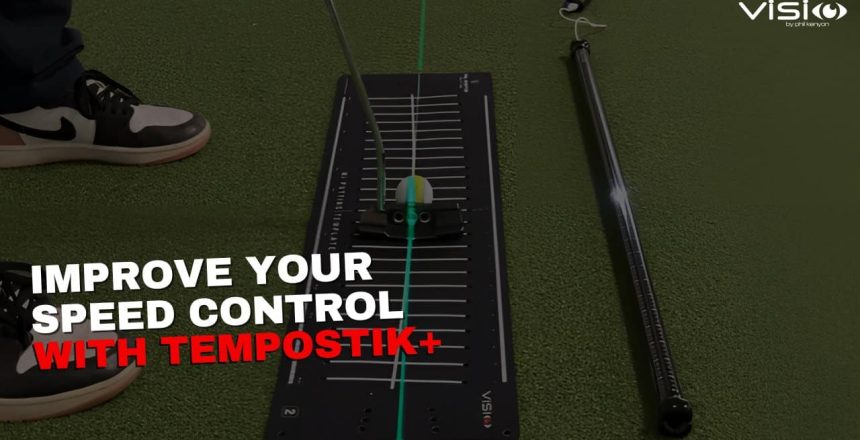
If you’re looking to develop better speed control in your putting, using the TempoStik+ can be a great tool. However, to get the most out of it, there are some best practices you can follow. One effective way to fine-tune your stroke and understand your acceleration profile is by videoing yourself as you use the TempoStik+.
Let’s walk through how this can help you improve.
1. Video Your Stroke to Analyse Your Timing
When you use the TempoStik+, it can be difficult to tell if you’re fully in sync with the LED light cues. You might be a little ahead, behind, or even struggling with the timing at specific points. Videoing your stroke from above can help you understand your natural timing and where your acceleration profile might deviate from the ideal.
To get started, set up your mobile phone or camera to record from an overhead view. Begin playing the LED sequence on the TempoStik+ and start hitting putts. Your goal is to time your stroke with the lights, ensuring the takeaway, backswing, and downswing are all in sync.
2. Check Your Takeaway Timing
The first thing you want to notice in the video is how well you time your takeaway. Many players struggle with this initial movement, and if your takeaway is off, your entire stroke will be out of sequence. The video can clearly show whether you’re starting the stroke at the right moment in relation to the LED lights.
3. Assess Your Backswing Speed
The next area to focus on is your backswing. In the video, observe whether your putter follows the LED lights at the correct speed. Are you falling behind the lights? Are you catching up too late? There’s a specific acceleration profile within the TempoStik+ that you’re aiming to match, and video feedback will help you see if you’re hitting that target.
4. Pay Attention to Transition
A critical part of your stroke to watch in the video is the transition, the moment when your backswing ends and the downswing begins. Many golfers stall during this transition, slowing down their stroke and then speeding up just before impact. This creates inconsistent acceleration and can lead to over-hitting the ball. By videoing this phase, you can see if you’re keeping a smooth, even pace through the transition.
5. Check Your Impact Timing
The final piece to analyse is the moment of impact. Are you hitting the ball exactly when the TempoStik+ LED indicates? Matching the lights at impact means you’re delivering the right amount of velocity, and your acceleration profile will reflect the ideal rhythm and speed control. This ensures that you’re sending the ball at the right pace for optimal distance control.
6. Using Video for Feedback
Videoing your stroke gives you clear, precise feedback that can be hard to detect with the naked eye. By analysing your takeaway, backswing, transition, and impact, you’ll be able to refine each part of your stroke and match it to the TempoStik+. The feedback from the video, combined with the LED cues from the TempoStik+, will help you develop a more consistent and controlled putting stroke.
Using the TempoStik+ alongside video analysis can be a powerful combination to improve your speed control. The visual feedback allows you to pinpoint where you might be out of sync and helps you adjust accordingly. By consistently practicing this way, you’ll develop a reliable feel for your tempo, which you can confidently take to the golf course.
Incorporating these best practices into your routine will not only help you refine your acceleration profile but also improve your overall consistency in putting.
Here’s a quick recap on what to look for:
✅ Is your takeaway starting on time?
✅ Are you keeping a consistent backswing speed?
✅ Does your transition flow smoothly?
✅ Are you striking the ball in sync with the lights?
🎯 When you match your stroke to the TempoStik+ sequence, you’ll develop a reliable, controlled tempo that holds up under pressure—and that means fewer three-putts and more makes.
Ready to get dialed in?
⛳📱 Grab your TempoStik+ and your phone and start training like the pros.
👉 Shop TempoStik+ Now!
🎥 Discover more on Best Practices with the TempoStik+ and how to use it effectively in the video from Visio founder Phil Kenyon – linked below.
#practicewithpurpose
Team Visio