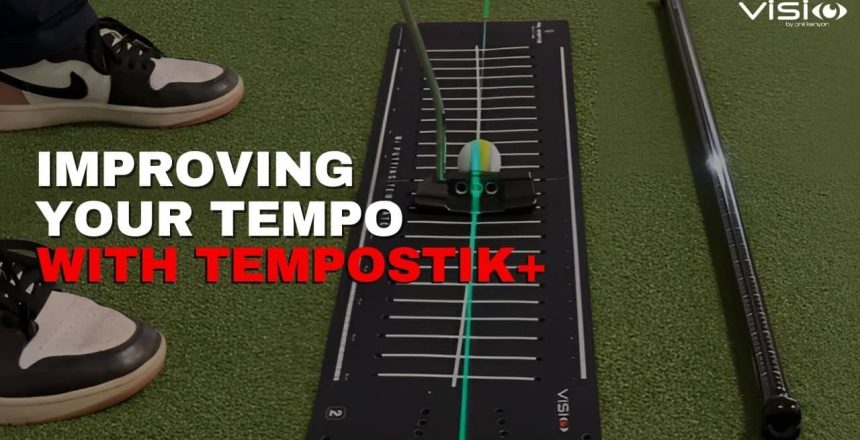
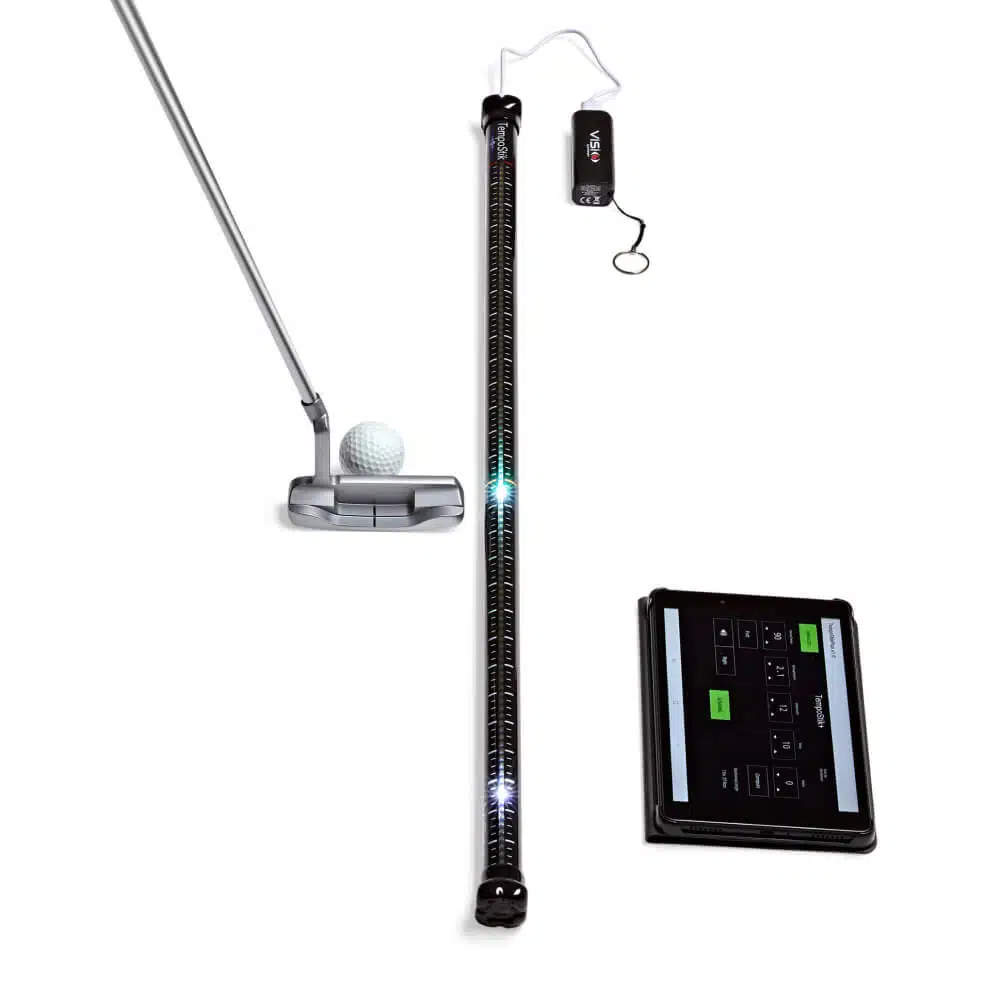
How the TempoStik+ can help fix a common issue I see with many golfers, and that is, slow timing during their putting stroke.
The Problem with Slow Timing
When your timing slows down, it can cause several problems in your putting stroke. If your backswing becomes too slow, you might end up swinging longer than necessary. In most cases, golfers with slow backswings struggle to maintain the correct acceleration in their stroke. They either speed up too much during the downswing or end up taking a longer stroke, which leads to a loss of control. This lack of control affects not only your speed but also your ability to keep the ball on the intended start line.
Why Timing is Crucial
Having the right timing is key because it allows you to control your swing length more effectively. When your timing is consistent, you can better adapt to different putt types and distances, matching your swing length to the stroke you need.
Understanding the TempoStik+ Default Settings
When you open the TempoStik+ app, you’ll notice the default setting is set to 90 beats per minute (bpm) for the DSwing Tempo. This is the average downswing speed of a PGA Tour player. Along with this, the app uses a backswing-to-downswing rhythm ratio of 2:1 This means the backswing takes about 660 milliseconds, while the downswing takes around 330 milliseconds, resulting in a total stroke time of approximately one second.
It’s recommended to start with these default settings, especially if you already know that your timing tends to be too slow. Begin with the 90 bpm and rhythm setting of 2 as your baseline.
Getting Started with TempoStik+
Once you press start on the TempoStik+ app and begin making practice swings, you’ll immediately notice if your timing is off. If your backswing is too slow, you’ll feel the difference right away. The app will help you realise how much quicker and more compact your backswing can be when you’re working at the right tempo.
When you speed up your backswing slightly, you’ll likely notice that it feels more compact. The great thing about TempoStik+ is that it provides both visual and audio cues to guide you through your backswing and downswing. As you improve your backswing sequence in terms of timing, swing length, and acceleration, your downswing will naturally start to align as well.
Bringing It All Together
After a few practice swings with TempoStik+, start hitting some putts while following the timing cues. You’ll begin to feel a brisker, more compact stroke. Once you get comfortable with this new tempo, practice it across different putt types. Try it with longer putts and shorter putts to develop the feel of matching timing and swing length across varying distances.
The real challenge on the golf course is maintaining consistent timing while adjusting stroke length based on the distance and type of putt. If you’re someone who tends to get slow and long with your stroke, the TempoStik+ can help you develop a quicker tempo and better match your swing length to the putt at hand. Ultimately, this improvement will lead to better speed control and more consistent putting.
By practicing with the TempoStik+, you’ll enhance your putting tempo, making it easier to adapt to different putt lengths and types on the course.
Conclusion
The TempoStik+ is an effective tool for golfers looking to improve their putting tempo and overall stroke consistency. By addressing common issues such as slow timing, the device helps users develop a quicker, more compact backswing, which leads to better control over swing length and acceleration. With its visual and audio cues, the TempoStik+ guides golfers toward maintaining consistent timing across different putt types and distances. Ultimately, practicing with this tool can result in enhanced speed control and a more reliable putting performance on the course.
🎥 Discover more on Tempo & Timing and how the TempoStik+ can help you improve, in the video from Visio founder Phil Kenyon – linked below.
Start training today with TempoStik+ and feel the difference on the greens!
Do the alignment lines on your putter enhance your accuracy, or could they be hindering your performance?
Most golfers use the lines on their putters to aim the face precisely along their chosen start line. This is especially common if you also use a line on your golf ball to assist with aiming. But have you ever considered whether these lines are actually benefiting you?
ou step up, address the ball with your putter, and make a smooth stroke, only to watch the ball veer off line like it had a mind of its own. You swear you aimed it right. But did you? For most golfers, the issue isn’t the stroke. It’s misalignment, starting the ball in the wrong direction from the very beginning.
Do you ever stand over a putt and second guess your read, only to watch the ball miss wide, breaking too much or not enough? You’re not alone. And there’s a chance, the problem isn’t your stroke, it’s the read.
Putting is often lost before the ball even moves. distance, slope (angle & gradient), grain and other factors can all influence how the ball rolls. If you misread those pieces of information, even a good stroke can send the putt off line.
Visio Putting
Latest news, articles and announcements from Visio Golf. The home of Golf Putting Training Aids.
No spam, notifications only about new products, updates and discount offers.
Youtube Channel
Sign up for our Newsletter
No spam, notifications only about new products, updates and discount offers.
×
1
Product selection
2
Contact information
3
Review information
Manage Consent
To provide the best experiences, we use technologies like cookies to store and/or access device information. Consenting to these technologies will allow us to process data such as browsing behaviour or unique IDs on this site. Not consenting or withdrawing consent, may adversely affect certain features and functions.
Functional
Always active
The technical storage or access is strictly necessary for the legitimate purpose of enabling the use of a specific service explicitly requested by the subscriber or user, or for the sole purpose of carrying out the transmission of a communication over an electronic communications network.
Preferences
The technical storage or access is necessary for the legitimate purpose of storing preferences that are not requested by the subscriber or user.
Statistics
The technical storage or access that is used exclusively for statistical purposes.The technical storage or access that is used exclusively for anonymous statistical purposes. Without a subpoena, voluntary compliance on the part of your Internet Service Provider, or additional records from a third party, information stored or retrieved for this purpose alone cannot usually be used to identify you.
Marketing
The technical storage or access is required to create user profiles to send advertising, or to track the user on a website or across several websites for similar marketing purposes.